National ID Digital—Registration and How to Download National ID Digital
The PhilSys announced the registration of National ID Digital for Filipino Citizens, which can be done in person or online through pre-registration. The primary registration method is the walk-in process. Those who have already registered for National or are currently waiting for their physical card or paper ePhillD can now get a Digital National ID and utilize it for a variety of purposes.
What is National ID Digital?
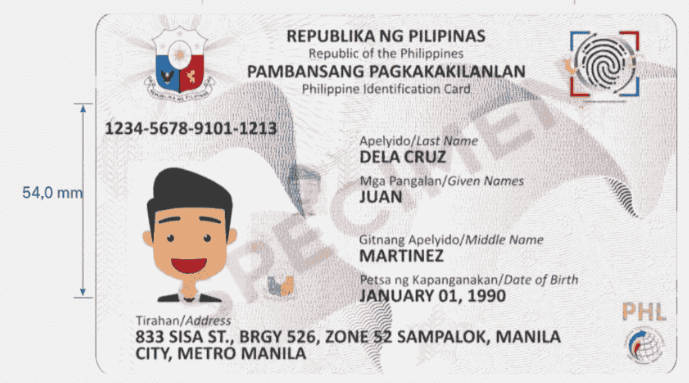
PhilSys National ID, sometimes known as PhillD, is a government-issued legitimate ID card that includes personal information such as your full name, date of birth, gender, address, blood type, nationality, and a unique National PSN number. National ID Digital is a digital version of the paperless ID.
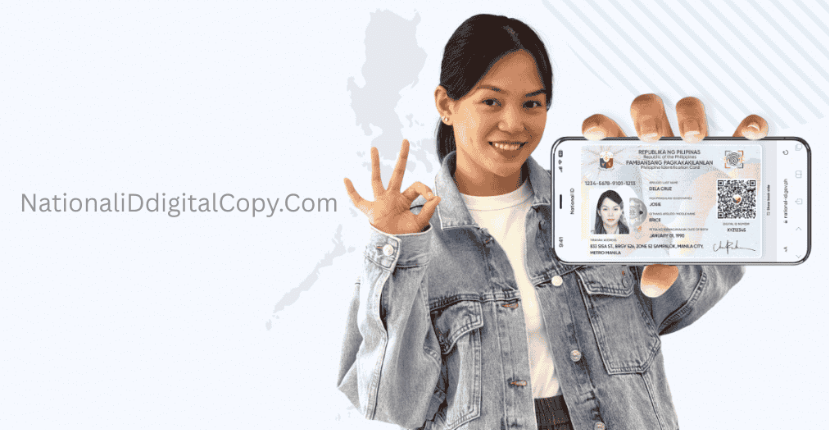
The National ID was established by Republic Act No. 11055. The government has developed a new sort of digital national ID that can be downloaded into your smartphone, known as EphillD. It is a digital relica of your physical identity. Download from the eGovPH website or the eGovPH mobile app for Android and iPhone; it provides the same legal documentation as the physical card, which is accepted in all sectors.
Types of National ID
There are two types of National ID in the Philippines, such as
- PhillD—Physical National ID (durable card printed and delivered to you)
- ePhillD – National ID Digital (Digital Version ID Card, Download on Smart Phones via eGovPH App)
Note: Both cards are equally valid, legally recognized by the government, and accepted in all industries.
Requirements to Register
To register for the National ID Digital you need to follow the requirements:
- Must be a citizen of the philippines
- Must be a Resident Aliens
- Living in the country for at least six months.
Documentary Requirements.
Primary Documents
Bring the original true copy of the documents to register the National ID
- Driver’s license issued by the LTO
- UMID (GSIS or SSS)
- Philippine Passport
- PSA-Issued Birth Certificate + 1 Valid Government-Issued Identification
Secondary Documents
If you do not possess primary documents, please submit the secondary documents listed below:
- TIN ID
- SSS ID
- Postal ID
- Solo Parent ID
- PhilHealth ID
- Senior Citizen ID
- Barangay/NBI/Police Clearances
- 4ps ID
- Employee ID
- PWD ID
- School ID
Requirements for Minors
For below 5 years old
- Information of Parents/Guardian
- Biometric data, including fingerprints, will be collected upon the age of Five.
For Ages 5 to 14
- Must submit minor’s birth certificate
- Must tag along with parents or guardians with valid government ID.
National ID Digital Benefits
- Access government services such as SSS, PhilHealth, and DSWD Cash Aid.
- Paperless Digital ID
- Access through Smart Phones
- Open Bank Account with National ID Card
- Address Proof
- ID proof to buy a SIM card and to register the SIM card online.
- Used as valid ID evidence in private or public transactions.
- It is called Philippines Citizen ID
- Employment (Instant Proof of Identity)
- Used as proof of identification for educational enrollment or scholarship programs.
- To get fast government services.
- A single ID proof for all transactions and
- Other related Benefits
To Download National ID Digital Visit Link–https://nationaliddigitalcopy.com/
How to Register National ID Digital?
Visit any PhilSys Registration Centers without any appointment:
- Fixed Centers
- Located in PSA Regional and Provincial offices
- Centers are open during office hours (8AM to 5PM Monday to Friday) Weekdays
- Mall-Based Centres
- Found in SM Malls and
- Other Big Shopping Centers
- LGU Centre
- Located in the registration areas of city or municipal halls for local residents
- Mobile Registration units
- On Wheels
- Goes to Barangays, schools, and public Spaces
- On Boat
- For island and coastal areas.
- On Wheels
Steps to register Near Registration Centres
Your documents are examined to ensure their validity. Follow the steps provided:
- (Step 1) Document Validation
- (Step-2) Biometric Capture
- Fingerprints (all 10 Fingers Capture)
- Iris Scan (For Both Eyes)
- Photograph (Live Photo taken at all the centers)
- (Step 3) Review information
- Will review personal and biometric data to ensure accuracy.
- (Step 4) Receive (TRN) Transactions Reference Number
- TRN Number helps to track the delivery of your National ID
- Contact PSA for Support
- To Access National ID Digital
Fees on Registration
- First-time National ID Registration-Free
- Replacement for loss or damage – There is a cost if you don’t have a Certificate of Indigency card.
- ID Renewal—Free
How to Download National ID Digital?
To Download National ID Digital Visit: https://nationaliddigitalcopy.com/
- Visit the Webiste –https://national-id.gov.ph/
- Download the eGov PH app from App Store or Play Store
- Open the app
- Log in to your account or register if you dont already have one with personal information.
- Verify your email using the code emailed to you.
- After verification, generate your MPIN code.
- Your account is now active.
- Verify your account by scanning the PhilSys QR code or entering your personal information correctly:
- First Name, Last Name, DOB, Gender, and Address
- Agrees the information entered is contact
- Take a live selfie for ID verification.
- After verification, click on ”National ID” on the app
- Download your National ID Digital into your smartphone.
Note: If you encounter any errors while downloading National ID Digital Read – https://nationaliddigitalcopy.com/national-id-digital-verification-failed/
For more information:
- Email: info@philsys.gov.ph
- Hotline: 1388
- Facebook: Https://facebook.com/PSA PhilSysOfficial