Senior Citizen Online Registration 2026: NCSC Step-by-Step Guide
Filipino senior persons aged 60 and up can now register online with the National Commission of Senior Persons (NCSC) to be included in the government’s nationwide senior citizen database.
The Senior Citizens Online Registration is free and can be completed on a smartphone, tablet, or computer. Family members may also help folks who are unfamiliar with internet registration.
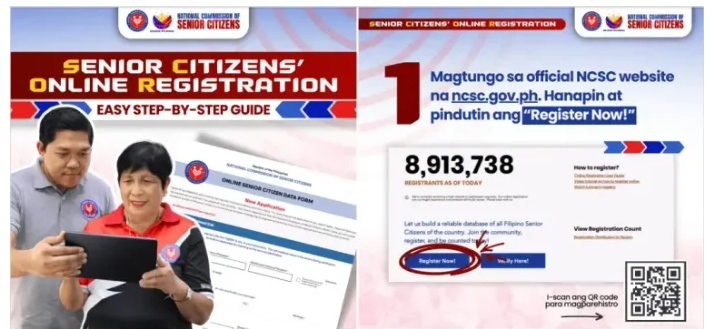
Here’s how to register, what you need to prepare, and how to verify your registration.
What is the NCSC Senior Citizens Online Registration Process?
The National Commission for Older Persons (NCSC) is a government institution in charge of promoting and preserving the rights and welfare of Filipino older persons.
Its online registration system collects information about senior citizens across the country to assist the government in planning and improving programs, services, and benefits for older Filipions.
Important: NCSC registration is not an application for pension or cash assistance. Registering does not automatically qualify someone for financial assistance.
Who Can Register, and What are the Requirements?
Filipino seniors aged 60 and up can register on the official NCSC website. Prepare the following before you register:
- Personal details, including complete name and birth date
- Complete residential address
- Contact number and email address; ID is provided.
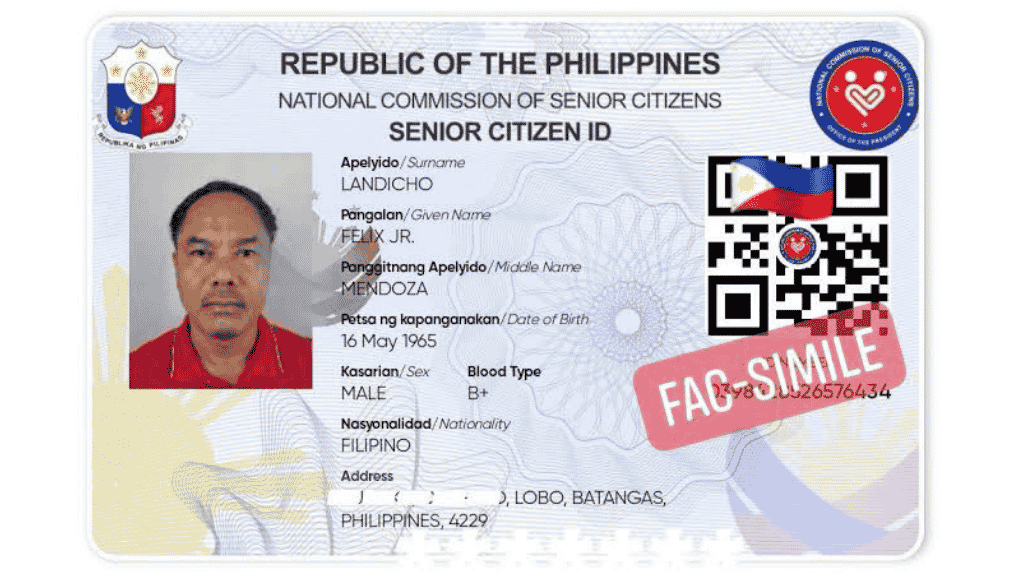
- Senior citizens ID or another valid government-issued ID
- Recent 2×2 photograph
- Additional details required in the registration form
Family members may assist senior citizens in completing their registration.
For identification requirements, you may also check our List of Valid IDs in the Philippines.
How to register senior citizens online in 2026.
Follow these steps to finish your NCSC online registration.
Step 1: Visit the Official NCSC Website
Go to https://www.ncsc.gov.ph/ using a smartphone or computer. Find the ”Register Now” button on the homepage and click it to get started.
Step 2: Read the Registration Instructions
Read the instructions and FAQs on the registration page. Check the box verifying that you have read the registration conditions, then click ”Proceed.”
Step 3: Fill Out the Senior Citizens Data Form
Fill out the online Senior Citizens Data Form (SCDF) with your correct personal details. Fill out all required fields indicated with asterisks.
Before you continue, please double-check your name, birthday, address, and contact information.
Step 4: Upload Your Photograph and Required Documents
Upload a current photograph and a valid identification document as instructed. Make sure your photo is clean and current and that your identification documents are legible.
Step 5 Review and Submit Your Registration
Examine all of the information you entered. Follow the remaining steps, including establishing your personal key number (PKN) as prompted.
When everything is right, click ”Submit.”
Step 6: Save Your Registration Reference Number
After submitting your registration, you will be given a Registration Reference Number (RRN)
Save or write down your RRN, and keep your PKN secure. You may require these details when authenticating your registration.
How to verify NCSC Online Registration
Already registered? You can check your record using the NCSC verification system.
- Visit https://www.ncsc.gov.ph/.
- Click “Verify Here!” on the homepage.
- Enter your RRN and PKN, or use the available name and birthday verification option.
- Follow the instruction to check your registration record
If you forget your RRN or PKN, the NCSC can provide alternative verification options based on your personal information.
NCSC Registration vs OSCA Registration
NCSC and OSCA registration serve various purposes. NCSC Online Registration is for the National Commission of Senior Citizens’ nationwide database, whereas OSCA Registration is handled by the local office for Senior Citizen Affairs, which helps with local senior citizens’ registration and identification. Registering with the NCSC does not automatically replace the process of getting a local Senior Citizens ID.
| NCSC Online Registration | OSCA Registration |
| Managed by the National Commission of Senior Citizens | Managed through the local office for Senior Citizens Affairs |
| Create a nationwide database for senior citizens. | Handles local elderly citizens’ registration and identification. |
| Can be performed through the NCSC website | Usually involves the relevant local government office. |
| After successful online registration, it generates an RRN. | May result in the issuance of a local senior citizen ID, subject to requirements |
Frequently Asked Questions (FAQs)
Yes, there is no cost to register on the official NCSC websites. There is no cost associated with registering.
Yes, family members can help elderly people complete the online registration process by providing personal details and necessary documents.
Yes, subject to the registration requirements, applicants without an OSCA Senior Citizen ID may use another legitimate, government-issued ID, according to the NCSC.
Yes, as long as you can fill out the form and submit the necessary files, you can finish the registration process using a smartphone with an internet connection.
No, NCSC online registration does not guaranty pension benefits or cash aid. Government financial aid programs have unique eligibility and application requirements.
No, if you have already registered, you are not required to register again. Use the NCSC verification mechanism to confirm your current record.
Source: National Commission of Senior Citizens