
How to Apply for a Digital Senior ID in the Philippines (2026 Updated Guide)
Filipino seniors no longer need to carry a laminated plastic card to obtain the discounts and advantages to which they are legally entitled. The Digital National Senior Citizen ID, or NSCID, has been available through the eGovPH app since August 2025, thanks to the National Commission of Senior Citizens (NSCID) and the Department of Information and Communications Technology (DICT).
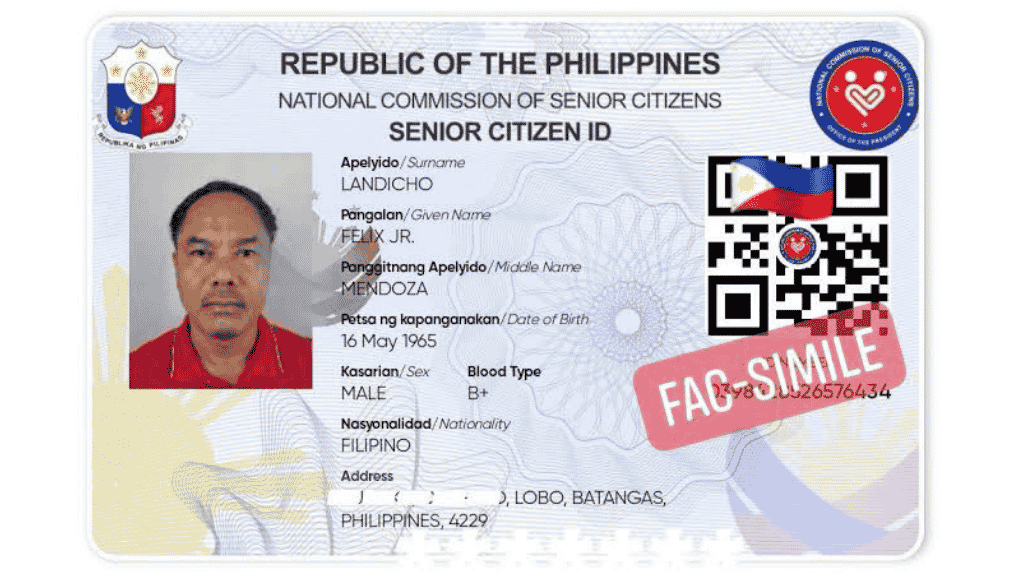
So, if you are a senior citizen or are assisting a parent or grandparent in obtaining a Digital Senior Citizen ID, this guide will teach you how to do so.
What is the Digital National Senior Citizen ID (NSCD)
The Digital NSCD is the electronic equivalent of the physical Senior Citizen ID provided by your local office of Senior Citizens Affairs (OSCA).
It can be found within the eGovPH app, the Philippine government’s unified mobile platform for national IDs and government transactions. Instead of removing a card from a wallet, simply launch the eGovPH app, select Digital ID, and display the ID on your phone’s screen.
On August 15, 2025, the NCSC and DICT launched the digital NSCID at The Manila Hotel, framing it as part of the government’s larger drive app-based identity verification. According to NCSC Public Advisory No. 1, Series of 2026, the digital NSCID holds the same legal weight as the physical card. It is not a secondary or backup ID; rather, it is a primary, valid proof of identity for Filipino Seniors.
According to the numbers, adoption has been steady but far from widespread; as of April 2026, over 1.3 million senior citizens had activated their digital NSCID using the eGov app, out of a total senior population of more than 9 million.
Who is eligible for a Digital Senior Citizen ID?
To qualify for the digital NSCID, you must meet the following conditions:
- You are Filipino citizens aged 60 or older. This applies the same age limit as the Expanded Senior Citizens Act.
- You are registered with the Philippines Identification System (PhilSys) and have a PhilSys Number (PSN), regardless of whether your physical National ID card has arrived.
- You have an existing record with your local OSCA, either because you have a physical senior citizen ID or because your local government unit has confirmed your senior citizen status.
If all three criteria are met, the digital NSCID will normally appear in your eGov account without the need for an application. If you have a PhilSys record but no OSCA record yet, you must first visit your local OSCA.
Note: If you have not yet registered with philSys, now is the time to do so. Registration is free and can be completed in person at PhilSys registration centers, satellite registration sites in malls and barangay halls, or registration days hosted by the local government. Please bring your birth certificate and one valid ID, or two supporting IDs if you do not have a primary ID.
How to Get Your Digital Senior Citizens ID via the eGovPH App
Follow these steps to obtain your Digital Senior Citizen ID if you don’t have an eGovPH account yet:
- Download the eGovPH app from Google Play (Android) or the App Store (iOS)
- Open the eGovPH application and create an account by providing your email address and mobile number.
- To verify your identity, enter the one-time PIN (OTP) that was sent to your phone and email.
- Set a six-digit personal identification number (PIN) for future logins, or even more advantageously, enable Face ID authentication. This will replace the necessity of inputting your password each time.
- Perform a face scan and provide your PhilSys Number to verify your identity. Linking your eGovPH account to your PhilSys record is the purpose of this step.
- Tap the “Digital ID” icon on the main screen. If your OSCA record is verified and you are 60 years of age or older, your digital NSCID will be displayed automatically in conjunction with any other digital IDs associated with your account, such as your Digital National ID.
- Tap ”Enlarge ID” to view the Senior Citizen ID.
- Optionally, capture a screenshot to ensure that you have an offline copy in the event that you are unable to access the Internet.
To access your Digital Senior Citizen ID, simply activate the eGovPH app and select “Digital ID” if you already have an eGovPH account.
Read: How to Apply for the PhilHealth
What to do if your digital ID does not appear?
If your Digital Senior Citizen ID does not appear on the eGovPH app, don’t worry; there is a solution. Simply follow these steps.
- First, confirm that your PhilSys registration is complete. Without a PSN, the eGovPH app has nothing to link the digital NSCID with.
- Visit your local Office of Senior Citizens Affairs (OSCA), which is normally located in your city or municipal hall, and bring your physical Senior Citizen ID as well as a valid government ID.
- Request verification or updating of your senior citizen record, especially if you have relocated, changed your name, or have never had your information digitally encoded.
- Please wait for the OSCA to update your record in the NCSC’s central database. Processing time varies by LGU, so please inquire with the OSCA personnel directly for an estimate.
- Once the OSCA certifies that it has completed the upgrade, return to the eGovPH app and check the Digital ID tab again.
- If your Digital Senior Citizen ID still does not display, please contact support@e.gov.ph or message the official eGovPH Facebook page for help.
Where and How to Use Your Digital Senior Citizen ID
Under NCSC Public Advisory No.1 Series of 2026, the digital NSCID is valid for the same range of transactions as the physical card, including:
- The Expanded Senior Citizens Acts required a 20% discount and VAT exemption on food, medications, transportation, and other products and services.
- Access to government service, aid programs, social protection programs, and preferred lodgings in both public and private businesses.
- Banking, financial, and identity verification transactions, such as account creation, loan applications, and benefits claims.
- Any other legal transaction in which a senior citizen ID is required or often accepted.
To use it, launch the eGovPH app, press Digital ID, choose your NSCID, and present the on-screen card to the cashier, banker, or service representative. Screenshots are permitted in instances when there is no Internet access, at long as the ID data are clear and up to date.
What to Do if an Establishment Refuses to Accept Your ID
The NCSC has stated that refusing to honor the Digital Senior Citizen ID is unacceptable. In its May 2026 advisory, the agency urged all organizations and businesses to ”strengthen awareness and compliance to prevent inconvenience and discrimination against older Filipinos”.
If a cashier or staff member insists that only the physical card is valid, do the following:
- Refers to NCSC Public Advisory No. 1, Series of 2026, which certifies that the digital NSCID has the same legal standing as the physical ID.
- If the frontline staff are not familiar with the policy, request to speak with a manager or supervisor.
- Please report the incident to your local OSCA or the NCSC, as the agency has stated that they are monitoring compliance complaints from establishments that refuse to accept the digital ID.
- Especially in smaller towns where staff may not yet be informed of the digital ID’s validity, it is advisable to retain your physical senior ID as a backup.
Digital NSCID vs. Physical OSCA ID
The digital and physical versions of the senior citizen’s ID include the following differences and similarities:
|
Feature |
Physical OSCA ID |
Digital NSCID |
|
Format |
Laminated Plastic Card |
On-screen in eGovPH App |
|
Cost |
Free |
Free |
|
Requires interest to use |
No |
Yes, it displays live, but screenshots can be used offline. |
|
Replacement if lost |
Reapply at OSCA. |
Reinstall the app and log back in. |
|
Legal validity |
Fully valid |
Fully valid under NCSC Advisory No. 1, s. 2026 |
|
Best for |
Seniors without smartphones |
Seniors who already carry a phone daily |
Both formats are still legal, and the NCSC has not established an expiration date for the physical card. You are allowed to utilize whichever method is most convenient for a given transaction.
Frequently Asked Questions
Yes, the digital NSCID was provided free of charge via the eGovPH app. There is no application fee, and you do not need to get one if you already have (or prefer to use) your physical Senior Citizen ID. Both formats are still legal, and the NCSC has not established an expiration date for the physical card. You are allowed to utilize whichever method is most convenient for a given transaction.
Yes, both the actual OSCA-issued Senior Citizen ID and the digital NSCID are valid, and establishments must accept either. Choose whichever option is more practical and convenient for you.
The eGovPH app requires an Internet connection to display the live version of the digital ID ahead of time and display it while you are not connected to the Internet.
Cite NCSC Public Advisory No.1, Series of 2026 (which validates the digital NSCID’s authenticity). request a supervisor, and report the establishment to your local OSCA or the NCSC if the rejection persists. The agency has officially committed to resolve concerns of this nature.
In most circumstances, yes, assuming your OSCA data is complete and linked to your PhilSys registration. If it does not appear after completing identification verification in the eGovPH app, your OSCA record may require updating first.
This typically indicates that your OSCA record has not been synchronized with the NCSC database . Proceed to your nearby OSCA to update your record instead of undergoing the PhilSys verification process again.
PhilSys registration must be finalized prior to the eGovPH application being able to provide and digital identification, Including the NSCID. The digital NSCID cannot be activated without a pre-existing PhilSys record.
No. The digital NSCID is personal and non-transferable, with the same restrictions as apply to the physical card. Using it on someone else’s behalf is not permitted.
Updated the eGovPH app to the most recent version from your app store, the ensure that your phone’s operating system is updated. Older Android and iOS versions can have issues with the app’s facial verification feature, causing it to crash.
Wrapping Up
Obtaining your Digital Senior Citizen ID is quick and simple if you are already enrolled with PhilSys and OSCA. All you have to do is open the eGovPH app and enter your ID, which will appear automatically, ready for you to take advantage of your senior citizen discounts and benefits.
If you don’t have a smartphone or prefer not to use it, don’t worry; your OSCA-issued ID card remains valid. The Digital NSCID simply provides a more convenient and practical method for accessing and displaying your Senior Citizens ID on your smartphone.
If you have any queries or concerns, please call the NCSC hotline at (02) 8567-5646 or email contact@ncsc.gov.ph.



One Comment